‏إظهار الرسائل ذات التسميات bsnes. إظهار كافة الرسائل

الخميس، 3 مارس 2011

Themaister's Waterpaint and Scanline Pixel Shaders for SNES

Themaister, author of the excellent libsnes interface SSNES, has been working on some really fantastic GLSL pixel shaders for use with compatible emulators, such as bsnes and SNES9x.

First, we'll take a look at the waterpaint shader, which has an effect similar to smoothing filters, such as SuperSaI, but with a little extra fattening that gives it the appearance of a watercolor painting:
This looks great already, but text can sometimes get a bit hard to read and some details get flattened out, so he also made a version that includes light scanlines (both the standard horizontal scanlines, as well as faint vertical lines, as would be found in a phospher mask):
I think this version does a better job of maintaining fine details and really looks nice, especially on Zelda:LttP.

Next, he produced a beautiful (and easily customizable) resolution-agnostic scanline shader. In contrast with my own scanline shaders, Themaister's shader will work with any scale factor instead of having one hardcoded in. Here's how his default version looks without and with bilinear filtering (smooth video), respectively:
In addition to this default, I modified the settings to create medium and dark scanline settings, as well (each shown without and with bilinear filtering enabled, respectively):

You can download these shader's from my mediafire account. If you would like to modify the scaline shaders yourself, you can play around with these figures:
const float base_brightness = 0.95;
const vec2 sine_comp = vec2(0.05, 0.15);

الثلاثاء، 1 فبراير 2011

Mudlord's HLSL Shaders for BSNES

I came across a set of HLSL pixel shaders from mudlord that were intended for use with snes9x, so I formatted them for use with bsnes and everything seems to work just fine. You can download the whole pack here.

Here are some screenshots from a couple of them:

1. Emboss
Looks pretty cool but gets old quickly.

2. Blur 2
There are 4 different blur settings. The first one actually looks pretty decent, but the rest are too intense for me.

3. Pixelator
Hmmm. Can't really see shit... Kinda like if your favorite SNES game came out on Atari first.

4. Toon
This one actually looks really cool. It makes everything look like Yoshi's Island :D

There are a number of others in the pack, including all of the blurs, another take on bloom, a toon shader without the black outlines and a couple that cover everything with a wave mask.

This pack gives D3D users a bit more freedom beyond the lone Sepia filter that comes with bsnes, and I hope to add more of these in the future. I'll post them here if/when I come across them.

UPDATE (2/2/11):
I fiddled around with some and came up with a couple more. They're essentially functioning just like mudlord's 'emboss' shader, but they maintain color:

1. color emboss bright
2. color emboss mild (this one requires that 'smooth video' be enabled to work properly; similar results to smooth video+mudlord's 'sharpen' shader)

الاثنين، 24 يناير 2011

BSNES on Older Distros, such as Lucid and Squeeze

In addition to being on the forefront of SNES emulation, BSNES also utilizes cutting-edge programming techniques to maintain the cleanest, most easily readable code possible. Unfortunately, that means that older distros--even ones that are still well within their supported lifespan--may get left out in the cold.

However, BSNES forums user Themaister has done us all a favor and backported byuu's cutting-edge C++0x code to use the more widely supported C++98 standard, which allows it to be compiled on any version of GCC from 3.x on up. The only catch is that his work only applies to libsnes, the modular emulation core of BSNES in library form, so byuu's official Phoenix GUI is still off limits, as is his libsnes-driven Qt GUI.

Thankfully, Themaister has us covered here, too, by offering SSNES, his super-slim CLI-only interface to libsnes. Just like his C++98 port of libsnes, SSNES can be readily compiled with even extremely old versions of GCC, so any semi-modern distro should be able to use it just fine.

My PPA now contains Lucid packages for both libsnes (all three official cores, plus an snes9x-based core for legacy machines) and SSNES, which should also (hopefully) work on Debian Squeeze.

A few things I'd like to point out about SSNES:
1. It will accept a variety of audio drivers, including jack, which allows ultra-low latency :D
2. My package was built using dynamic libsnes linking, so it requires a libsnes package from my PPA to function
3. In addition to accepting BSNES-style XML shaders written in GLSL, SSNES will also accept shaders written in Nvidia's Cg language if you install the nvidia-cg-toolkit package
4. The default configuration file for SSNES is located at /etc/ssnes.cfg, but you can override this by placing another config file in ~/.config/ssnes

As always, let me know if you run into any problems with these packages.

الخميس، 20 يناير 2011

Crimson Echoes and Flames of Eternity

These two ROMhacks for the legendary SNES RPG Chrono Trigger were just leaked on Reddit the other day and I happened across some bsnes-compatible UPS patches, which you can download here. (I didn't make these patches, btw, and I didn't upload them)

I haven't played through them yet, but they seem to work fine from what I've seen. They will get past the initial intro sequence and into the playable game, but I haven't tested any further than that.

They were tested with an unheadered Chrono Trigger ROM that had been run through snespurify.

I'll update this post with anything interesting I find in my playthrough.

الثلاثاء، 11 يناير 2011

Bloom Pixel Shader for bsnes

I did some digging around online and came across some bloom filters written in GLSL. The one on this site looked the best to my eyes, so I converted it to work with bsnes and tweaked the settings a bit to achieve the desired effects.

What I found while playing around with it is:
1. Turning on 'Smooth video' seems to amplify the bloom effect.
2. The same amount of bloom looks different on each game, depending on the overall dark/light-ness of the game.
3. Combining excessive bloom with bsnes' scanline filters can make a pretty decent approximation of a CRT. While this is in no way as accurate or as nice looking as cgwg's CRT shaders, it may be an option for the many people whose video cards don't have enough horsepower to handle that complex shader.

First, I made a simple, fairly subtle (as far as bloom is concerned...) shader, which looks like this:
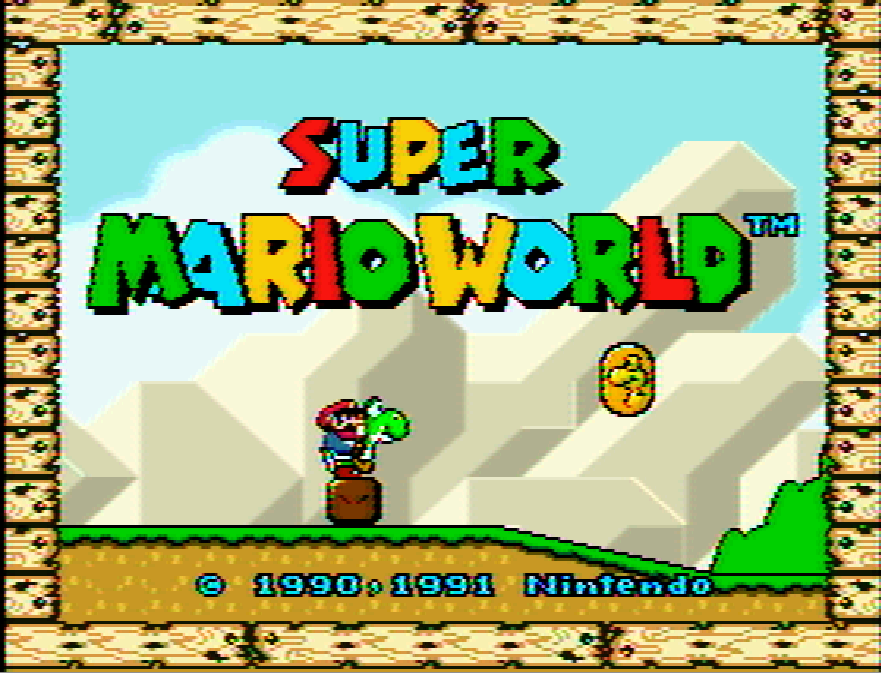
Looks pretty nice, eh? Unfortunately, the exact same shader settings look awful in Super Mario World:
One big flare-out... All I need is some brown and lens flare and I'll have next-gen graphics.

However, if you add in a scanline filter, things can really get evened out. In fact, you can use the different scanline intensity filters on a game-to-game basis to attenuate the inconsistency of the bloom effect. For example, here's a shot of Super Mario World with even more bloom added and 'smooth video' checked, but with 100% scanlines to chill things out a bit:
As you can see, it kinda gives it a plasticy, oversaturated look, but it's sort of charming, if you ask me.

In contrast, those exact same settings in Chrono Trigger--an altogether darker game--produce a really nice CRT-style effect, like this:
As you can see, even the bright parts don't suffer from excessive flare-out and the color bleed into the scanlines from the bloom provides an effect that is reminiscent of the phosphor glow on a CRT display.

One more shot of Chrono Trigger, this time using heavy bloom, 25% scanlines and smooth video:
I have asked WhateverMan if he would release his shader code under a permissive license. If he does, I will post my simplebloom and heavybloom versions here for download.
Update (1/19/11): WhateverMan was nice enough to allow his work to be distributed/modified under the GPL, so you can download the heavybloom shader here and the simplebloom shader here.

Update (2/2/11):
I also made a simple scanline shader that works with or without video smoothing:
For best results, use it along with a scale factor of 4x. Otherwise, the pixels won't line up with the scanlines correctly.

UPDATE (2/28/11): I made a scanline shader that works with a 3x scale factor, as well. You can download it (and the other GLSL shaders) here.

الثلاثاء، 28 ديسمبر 2010

CRT Pixel Shader Filter for SNES Emulation

Update 05/18/2011: More screenshots for more new filters in my new post. :-)

Update 05/02/11
: After many changes, it looks like the CRT shader development has settled down, so there's less need for me to maintain the older versions of the shaders. From here on out, I recommend visiting Screwtape's git repo for all of your XML shader needs (my mediafire account will still be there, but Screwtape has all of mine and more).

CRT.OpenGL.shader and CRT-flat.OpenGL.shader are similar to the shader covered in this post, though they run slightly faster and have no visible artifacts. CRT-simple.OpenGL.shader is a simplified rewrite that should be usable on much older, slower machines.

Here is the original post for informational purposes:
This post covers the use of filters to upscale pixel art--specifically as it applies to SNES emulation--with special attention to CRT reproduction. If you just want the pictures and to download the filters, skip to the bottom of the post.

Background:

As everyone who dabbles in old-school emulation knows, artwork that was intended for a 480i CRT television that has been upscaled to an HD resolution looks like absolute garbage on an LCD monitor. The chunky sprites with their often thick, cartoony outlines just weren't designed to be reproduced with sharp edges resulting from nearest-neighbor upscaling.

To get around this ugly upscaling effect, many emulators now include upscaling interpolation filters, which apply complex mathematical algorithms to the original picture to fill in the gaps between things that are impossible to represent in chunky low-res, such as curves and smooth diagonal lines. You're probably familiar with some of the more common and popular interpolating filters, such as SuperEagle, SuperSaI and HQ2x. Unfortunately, none of these filters gets everything quite right, especially numbers and letters, which can look bubbly or overly smoothed (you can learn more about pixel art scaling algorithms here).

Purists have long been turned off by the inaccuracies of interpolating filters and have instead used scanline masks to try and capture the effect of an interlaced display, relying on the human brain's natural ability to recognize patterns and fill in the gaps between lines (you can learn everything you ever wanted to know about scanlines here). However, this too falls short from a true representation of a CRT display, as it ignores the existence of phosphors--the tiny red-, green- and blue-colored lenses that the electron gun in the back of a CRT tube shoots with a beam of electrons to recreate a colored pixel--and the color bleed that naturally occurs in these displays.

Recently, a number of determined individuals have set out to try and capture all of the different effects of a CRT display, warts and all, to truly reproduce classic pixel art the way it was meant to be viewed.

The Comparisons:
(Each of these images is presented as it would be displayed onscreen, at a resolution of approximately 800x600, then again at 400% scale without any interpolation used when scaling; as always, click the thumbnail to embiggen)

First, we should look at the baseline. This was scaled up to size using nearest-neighbor and is otherwise untouched:
Next, we'll add blargg's NTSC filter, which emulates the noise and color bleed of an NTSC video signal (this filter has several presets; I will only be showing the RGB preset, which reproduces the look of an SNES hooked up via RGB connection [not available in the U.S.], and the RF preset, which reproduces the look of the SNES RF modulator attachment, respectively):
(<- Look at that noisy RF signal!)
As a note, blargg's NTSC filter is so accurate that byuu, the author of bsnes, recommends its use along with bsnes' accuracy profile to achieve proper blending on games that use halftones to simulate transparency (Jurassic Park and Kirby's Dreamland, for example).

Next up, we'll look at cgwg's CRT shader, which includes a phosphor mask and barrel distortion to simulate the screen curvature of a CRT television (just look at those RGB phophors!):
Similarly, there is a version of cgwg's CRT shader, which doesn't include the barrel distortion and represents an idealized flat CRT (actual flat CRTs tended to have slight blurring at the edges where the tube curvature would normally be). Incidentally, this version also has no visible garbage pixels (the occasional black specs that are visible in the curved version):

Pixel Shaders vs. Software Filters

cgwg's CRT shader is a special kind of filter known as a pixel shader. Unlike regular filters, which rely on the CPU to do all of the complex upscaling calculations, pixel shaders draw on the awesome computing power of the video card to do the calculations, thereby leaving the CPU to focus on emulating the SNES. Additionally, since the pixel shader is calculated separately from the filter in bsnes, you can stack blargg's NTSC filter with cgwg's CRT shader:
Finally, for non-purists, we'll look at the combination of cgwg's CRT shader with the popular SuperSaI filter, which creates a pleasing--though not quite as accurate--output:
As amazing as cgwg's CRT shader is already, there is still some room for improvement. For example, the current implementation misses the intensity-based bloom effect on individual phosphors that can be seen in a true CRT. DOLLS (J) [!], one of the contributors to the CRT reproduction effort, intends to write a more complete CRT emulation shader in the future that will incorporate these and other idiosyncracies.

Click here to download cgwg's CRT shader (Also includes the 'flat' version for those who don't like the tube-style curvature; UPDATE: fixed dead link), which is compatible with bsnes and the newest release of snes9x. For more information on CRT emulation, you can check out this highly informative thread on the bsnes forum. For other bsnes-compatible shaders that are not included with the official download, check out my mediafire account.

UPDATE (3/4/2011): Themaister did a rewrite of the flat version of cgwg's CRT shader, moving many of the calculations from fragment to vertex, which provides a substantial ~20% increase in speed (making it usable on many older and less powerful video cards). This rewrite also appears to conform more rigidly to the GLSL shader spec, making it compatible with more cards from different vendors. I have labeled it v4 of cgwg's CRT Flat, and it is available in the aforemented mediafire account.

الجمعة، 24 ديسمبر 2010

bsnes Phoenix GUI Filter Changes

Byuu has added support for binary filters in his Phoenix GUI as of v073, so we can finally use cgwg's CRT Curved shader in conjunction with blargg's NTSC filter! These binary filters are loaded just like shaders, i.e., via a dialog box in the video options.

You can download the available filters, compiled for 64-bit Linux, here or compiled for 32-bit here. These filters do not appear to work on Windows systems.

السبت، 18 ديسمبر 2010

Bsnes Special Chips Dumped

Update (6/28/11): Another chip dumped and emulated! This time, the Cx4 chip (cx4.bin), which is used in Mega Man X2 and X3. The contents of this chip were really just math tables--naturally occurring relationships between numbers--and hence not protected by copyright, so byuu felt comfortable hosting the image on his own site. You can download it here (I'll also mirror it in my mediafire in case byuu's copy disappears for whatever reason).

Update (1/13/11): Dr. Decapitator has dumped and byuu has added low-level emulation for the NEC uPD96050 coprocessor, which is used by the ST-0010 and ST-0011 chips. This allows proper emulation of F1 Race of Champions II and playability for Hayazashi Nidan Morita Shougi. Click here to download the pair. Click here to download all DSP and ST-00* dumps.

Update (12/23/10): All DSP chips have been decapped and dumped. Click here to download the complete, unpadded (as per byuu's preference) set. Furthermore, thanks to the donations of several generous enthusiasts (and a particularly generous contribution from Mr. Krawczyk), all special chips have been paid for. Now, we wait for Dr. Decapitator and byuu to do their thing. ;)

Update (12/21/10): W00t! The DSP chips are all paid for and the decapping and emulation process has already begun. Click here to download a copy of the dsp3.bin file, which enables perfect emulation of the previously unplayable SD Gundam GX (J)!

While many individuals may think that emulating the SNES is long-since perfected, the truth of the matter is that a number of special auxiliary chips were never properly emulated and instead were approximated using what is known as High Level Emulation, or HLE.

To implement HLE, someone monitors what goes into a chip and then monitors what comes out in an attempt to infer the way the chip works. Using this strategy over the course of several years, 4 emulation heavy-hitters were able to deduce much of how these special chips work. However, they were never able to figure out any timing information, so to paraphrase bsnes author byuu, the chips were treated as magical black boxes that instantly convert input to output.

This is just beginning to change, though. Thanks to donations from emulation enthusiasts, renowned chip decapper Dr. Decapitator was able to shave down to the guts of the DSP-1B chip and see exactly what's going on inside. This breakthrough will eventually lead to the squashing of several bugs and will enable near-perfect emulation of both Super Mario Kart and Pilotwings.

However, to run any games that require the DSP-1B chip, you will now need to put a copy of the dumped image into the same directory as the game ROM image. Click here to download a copy of the dsp1b.bin file.

As awesome as this is, there are still a number of chips that need to be decapped (you can read all about it here) and byuu is running a collection to get things started in this thread. If you would like to contribute, visit byuu's official donations page. It's your chance to be a part of SNES emulation history.

الأربعاء، 18 أغسطس 2010

The Runup to bsnes v1.0

As a kid, I was lucky enough to have grown up during the Golden Age of console gaming. I am old enough to have played some Ataris and my older brother had a regular Nintendo Entertainment System when I was really young, but the first console I personally owned was the Super NES (or SNES).

The SNES was a pivotal piece of hardware in console gaming. Prior to the 16-bit era, hardware limitations in gaming consoles necessitated that graphics be highly representational and storage constraints were a burden on many developers. This all changed with the SNES, which could produce graphics that were good enough to not impede storytelling and which used cartridges that had enough storage to encapsulate some truly lengthy and epic games.

Early SNES Emulation

Just as the SNES heralded a new period in console gaming, the emergence of popular SNES emulators in the late 1990s changed the landscape of the PC console emulation scene. ZSNES and SNES9x pushed to the forefront of the scene with good compatibility for most popular, commercially available games through a variety of game-specific hacks and the ability to run full-speed on the prevalent hardware of the time (90 mhz Pentium IIs).

However, despite the compatibility hacks, these early emulators experienced a number of emulation bugs that range from minor to rather serious. For example, ZSNES runs games at approximately 140% speed and some games experience graphical glitches. Many games that use special hardware, such as SuperFX chips, run very slowly or not at all. Some more obscure games, such as Speedy Gonzales, experience show-stopping bugs that completely halt progress in the game. Nevertheless, gamers accepted these foibles and adoption of these early emulators was widespread. As time went on, though, the authors' enthusiasm for squashing bugs waned and development on these early emulators slowed to a crawl. Furthermore, the code behind these early emulators was esoteric and poorly documented, making a significant barrier to entry for potential newcomers to contribute to their development.

A New Challenger

Fast forward to 2004.

A ROM-hacker that goes by the name 'byuu' became interested in writing his own SNES emulator from scratch in his spare time, so he could better understand how the SNES works. Instead of focusing on speed, byuu focused on accuracy, debugging functionality and clean code. This shift in focus was revolutionary for several reasons:
1.) Compatibility would no longer require hacks. If the emulation of SNES hardware is perfect, it stands to reason that all games that work on real hardware should work on the emulator.
2.) The code would be self-documenting and would also document the hardware of the SNES. Someone reading the code could see not only that 'this is how the emulator does it' but that 'this is how SNES hardware does it,' which is of utmost importance to digital archivists and preservationists.
3.) System requirements would be extremely high, putting such an emulator far out of reach of older systems, even those that could run previous emulators at full speed.

The first public release of this emulator, dubbed bsnes, was in May of 2005. At the time, the code was completely unoptimized and bsnes still experienced a variety of issues that were not present in previous emulators. However, byuu made rapid progress and a number of other talented programmers, including GiGO--the author SnesGT, another SNES emulator--and blargg--the author of QuickNES--supplied components for cycle-level emulation of different pieces of SNES hardware.

Unfortunately, these early releases had very steep requirements to run (Richard Bannister's port of bsnes to Apple's OS X initially required a then-top-of-the-line G5 CPU to even approach playable framerates), and many early users were turned off by the project, assuming it was simply a proof-of-concept. Eventually, though, PC hardware advances and byuu's code optimizations met somewhere in the middle, with bsnes emerging as a playable, extremely accurate SNES emulator.

Soon, bsnes had become the first and only SNES emulator capable of full SPC7110 emulation, SPC700 cycle-level emulation and full Super Gameboy hardware emulation. Even cheat codes were implemented faithfully by emulating the way a Game Genie would interact with actual SNES hardware. Additionally, byuu's clean code and commitment to openness allowed bsnes to be ported to all major, modern operating systems, including MS Windows, OS X and Linux.

Modern Innovations

After reaching maturity, bsnes gained many of the features users enjoyed in ZSNES and SNES9x, such as software filters that would improve the look of pixelated SNES sprites on high-definition, flat-panel monitors, as well as some modern features that were not possible in earlier emulators, such as hardware-based shader effects.

By June 2010, bsnes had achieved 100% compatibility with all commercially released games while still being playable on standard, albeit modern, hardware, so byuu set out to tackle one of the final frontiers of SNES emulation: a dot-based S-PPU rendering core.

Up to this point, bsnes, like all other SNES emulators before it, had used a scanline-based rendering core, which would fetch and display data entire scanlines at a time. In contrast, actual SNES hardware would only fetch and display data one dot at a time. While this did not make much difference in a majority of games, some games, such as Air Strike Patrol, used dot-level calculations to show certain effects; in ASP's case, the shadow of the plane (using scanline-based rendering, ASP shows no shadow at all, which makes it really tough to accurately drop bombs on targets). Likewise, some games used dot-based effects to create a faux transparency, similar to the artistic technique of pointillism.

Unfortunately, using this new hyper-accurate rendering engine incurred a nearly 40% reduction in emulation speed, once again making full-speed gameplay difficult-to-impossible, even on state-of-the-art hardware (at the time of this writing, including Intel i7 CPUs). This left byuu with a dilemma: continue using the most faithful, accurate emulation code available at the risk of again alienating users and creating what amounts to an unplayable benchmark or sacrifice accuracy to maintain playability.

The Future of bsnes

This crossroads led to much discussion on byuu's message board, with some users suggesting he go with the most accurate code and just wait for the hardware to catch up, while others suggested he fork the code into two separate projects, an accurate emulator and a fast one.

Rather than compromise on any of his core goals for bsnes, byuu decided on a third option in which he would enable users to choose at runtime among three distinct processing cores for bsnes: an 'accuracy' core that focuses entirely on accuracy and is only intended for research purposes, a 'compatibility' core that maintains modest requirements with high compatibility (this core is similar to that of bsnes v0.067), and a 'performance' core that makes small sacrifices in accuracy and code readability to make bsnes faster than it has ever been (so fast, in fact, that it can run most games at full speed on an Intel Atom 240).
These three cores will be included in the upcoming 1.0 release of bsnes, according to byuu. UPDATE: The three cores were included in v0.068! Windows users can download it at byuu.org/bsnes and Ubuntu users can get it from my PPA.

While he has not given any estimated release date for version 1.0, he has already begun beta testing the cores against each other and against actual SNES hardware to spot any remaining bugs. Additionally, leading up to v1.0, byuu has solidified his API for libsnes, a portable core library at the heart of bsnes, which can be used to drive lightweight, platform-specific graphical interfaces created by the community.

In the future, bsnes will serve a dual role: a modern, highly accurate emulation platform through which everyday users can relive their glory days, as well as a pristine, functional archive of SNES hardware. Like the Rosetta Stone, bsnes will be a digital translator that will ensure that SNES games can be understood and executed even without working SNES hardware. Thanks to byuu's unique and tireless efforts, the SNES will never disappear, even after the last console turns to dust.

If any Debian/Ubuntu users would like to try bsnes, I have builds of the latest publicly available code published in my PPA.