‏إظهار الرسائل ذات التسميات SNES. إظهار كافة الرسائل

الأحد، 15 مايو 2011

More Emulator Pixel Shaders (CRT updated and more)

I'm just going to dive right in with the pictures in this post. If you want/need some backstory, read my previous CRT shader post. These shaders are all available in Screwtape's bsnes git repo, except for Beam4, which can be downloaded here, and NTSC, which can be downloaded here (both mirrored in my mediafire in case the pastebins expire before Screwtape adds them to his repo).

UPDATE (5/30/11): Added shots of caligari's phosphor21x shader (a.k.a. caligari's scanlines in Screwtape's repo). UPDATE (6/3/11): Added Themaister's Dot 'n' Bloom, available from Screwtape's repo. UPDATE (6/18/11): Added caligari's scanlines - rgb triad.

All images are taken at 3x scale, followed by that same image blown up 400% with no further interpolation. As always, click the thumbnails to embiggen.

4xBR

This one uses an algorithm similar to HQ4x and it shows.

Beam4

This is a multipass scanline shader from cgwg that also simulates an electron beam that takes longer to rise than to fall. It is perfect for producing the pseudo-hires transparency used in Kirby's Dreamland 3 and Jurassic Park. Sadly, it only works in emulators that support shader spec 1.1 (at the time of this writing, Themaister's SSNES and PS3 homebrew emus written by Dante Ali).

Bicubic
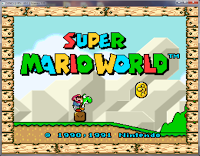
This one's pretty straightforward, using an algorithm similar to that of bilinear filtering (aka, 'smooth video'). It's a little sharper and preserves edges a little better.

CRT.OpenGL
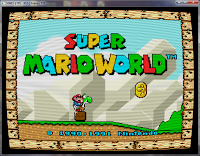
This is the latest and greatest version of the collaborative CRT shader. The screen curvature is user-definable, based on changing a single value in the helpfully commented shader code. As you can see, it looks totally amazing. It also runs a lot faster than it used to, so give it a shot even if your machine couldn't handle it before.

CRT-simple.OpenGL
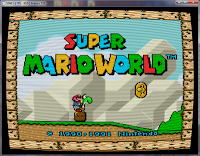
This one is very closely related to the aforementioned CRT shader, only this one is optimized for weaker cards while only sacrificing a tiny bit of accuracy. If your machine can't run the full-fledged CRT shader, this one is your last good chance.

Dot 'n' Bloom

Another cool one from Themaister, Dot 'n' Bloom treats each pixel like a single, distinct dot and then adjusts its size based on brightness, such that brighter dots appear larger than darker ones, similar to a CRT electron beam (though this shader is not attempting to reproduce a CRT, it resembles one). He then added a bit of bloom to blend things together some. The results look really nice in motion (especially on Super Metroid :D) and the shader runs extremely fast.

Lanczos 4-tap
Another fairly straightforward interpolation filter, this one runs quite fast even on weaker hardware. You can learn more about the Lanczos algorithm and its use in resampling at the Wikipedia.

Lanczos 6-tap
As you might have guessed, this one is very similar to the 4-tap Lanczos, but it is further sharpened, which leads to the ringing/halo effect around sprites.

NTSC
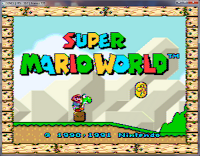
This multipass shader is the result of cgwg and Themaister porting blargg's awesome NTSC filter to GLSL. It looks quite nice and doesn't bog down the CPU like the regular filter version. Unfortunately, it only works on shader spec 1.1-compatible emus.

Phosphor21x
This is caligari's implementation of an algorithm originally written by xythen in Matlab, which served as the inspiration for the work that later became CRT.OpenGL. This shader builds on xythen's work to be essentially scale factor-independent, except it looks a little weird at 2x in my experience; everything larger looks great. An interesting note: the scanlines that appear with this shader are not simply added in. Instead, they are naturally occurring as a result of the phosphor simulation. Pretty cool stuff :D

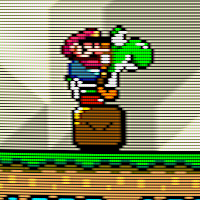
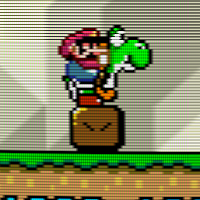
By uncommenting some lines in caligari's code, you can enable one of three phosphor/shadow mask arrangements, of which the RGB triad option is the nicest (I recommend clicking these thumbnails to see in full size):

As you can see, this option causes some serious dimming of the picture brightness, which was also a technological obstacle for actual CRT engineers when shadow masks were first being designed and implemented. In bsnes, you should be able to just increase the gamma in the picture settings to compensate. You can download this shader variation from my mediafire account.

Quilez
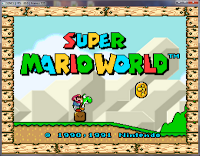
This fast, crisp interpolation filter is totally new to the emulation scene. It's based on some fancy math demonstrated by Inigo Quilez and represents a good compromise between the pixelate2x and bicubic shaders.

Simple TV Blur
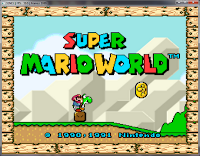

This one's rather subtle, but is intended to do the minimum amount of work required to reproduce the pseudo-hires transparency.

Beam4+NTSC

Just for fun, I used SSNES' shader stacking support to combine the new NTSC shader with the Beam4 shader. It's almost indistinguishable from Beam4 alone (except for some really slight changes to the color palette), so I wouldn't bother trying it yourself.

CRT+NTSC

As above, I tried stacking the NTSC shader with the new CRT shader and this was the result. It's kinda cool in a way, like newsprint. :P According to cgwg, this is happening because it's only picking up the first pass of the NTSC shader, which has no color values.

CRT-Flat+Caligari's Scanlines - RGB Triad
When the regular CRT shader (edited to have 0.0 for the distortion value) is paired with caligari's scanlines - RGB triad variant, you end up with a pretty neat result:

The colors are off by a good bit (I think because of the double gamma correction) and it's very dark, but the phosphor triads from caligari's are still clearly discernible over the CRT shader's already-awesome result. Still not perfect, obviously, but getting close in a lot of ways.

الخميس، 3 مارس 2011

Themaister's Waterpaint and Scanline Pixel Shaders for SNES

Themaister, author of the excellent libsnes interface SSNES, has been working on some really fantastic GLSL pixel shaders for use with compatible emulators, such as bsnes and SNES9x.

First, we'll take a look at the waterpaint shader, which has an effect similar to smoothing filters, such as SuperSaI, but with a little extra fattening that gives it the appearance of a watercolor painting:
This looks great already, but text can sometimes get a bit hard to read and some details get flattened out, so he also made a version that includes light scanlines (both the standard horizontal scanlines, as well as faint vertical lines, as would be found in a phospher mask):
I think this version does a better job of maintaining fine details and really looks nice, especially on Zelda:LttP.

Next, he produced a beautiful (and easily customizable) resolution-agnostic scanline shader. In contrast with my own scanline shaders, Themaister's shader will work with any scale factor instead of having one hardcoded in. Here's how his default version looks without and with bilinear filtering (smooth video), respectively:
In addition to this default, I modified the settings to create medium and dark scanline settings, as well (each shown without and with bilinear filtering enabled, respectively):

You can download these shader's from my mediafire account. If you would like to modify the scaline shaders yourself, you can play around with these figures:
const float base_brightness = 0.95;
const vec2 sine_comp = vec2(0.05, 0.15);

الثلاثاء، 28 ديسمبر 2010

CRT Pixel Shader Filter for SNES Emulation

Update 05/18/2011: More screenshots for more new filters in my new post. :-)

Update 05/02/11
: After many changes, it looks like the CRT shader development has settled down, so there's less need for me to maintain the older versions of the shaders. From here on out, I recommend visiting Screwtape's git repo for all of your XML shader needs (my mediafire account will still be there, but Screwtape has all of mine and more).

CRT.OpenGL.shader and CRT-flat.OpenGL.shader are similar to the shader covered in this post, though they run slightly faster and have no visible artifacts. CRT-simple.OpenGL.shader is a simplified rewrite that should be usable on much older, slower machines.

Here is the original post for informational purposes:
This post covers the use of filters to upscale pixel art--specifically as it applies to SNES emulation--with special attention to CRT reproduction. If you just want the pictures and to download the filters, skip to the bottom of the post.

Background:

As everyone who dabbles in old-school emulation knows, artwork that was intended for a 480i CRT television that has been upscaled to an HD resolution looks like absolute garbage on an LCD monitor. The chunky sprites with their often thick, cartoony outlines just weren't designed to be reproduced with sharp edges resulting from nearest-neighbor upscaling.

To get around this ugly upscaling effect, many emulators now include upscaling interpolation filters, which apply complex mathematical algorithms to the original picture to fill in the gaps between things that are impossible to represent in chunky low-res, such as curves and smooth diagonal lines. You're probably familiar with some of the more common and popular interpolating filters, such as SuperEagle, SuperSaI and HQ2x. Unfortunately, none of these filters gets everything quite right, especially numbers and letters, which can look bubbly or overly smoothed (you can learn more about pixel art scaling algorithms here).

Purists have long been turned off by the inaccuracies of interpolating filters and have instead used scanline masks to try and capture the effect of an interlaced display, relying on the human brain's natural ability to recognize patterns and fill in the gaps between lines (you can learn everything you ever wanted to know about scanlines here). However, this too falls short from a true representation of a CRT display, as it ignores the existence of phosphors--the tiny red-, green- and blue-colored lenses that the electron gun in the back of a CRT tube shoots with a beam of electrons to recreate a colored pixel--and the color bleed that naturally occurs in these displays.

Recently, a number of determined individuals have set out to try and capture all of the different effects of a CRT display, warts and all, to truly reproduce classic pixel art the way it was meant to be viewed.

The Comparisons:
(Each of these images is presented as it would be displayed onscreen, at a resolution of approximately 800x600, then again at 400% scale without any interpolation used when scaling; as always, click the thumbnail to embiggen)

First, we should look at the baseline. This was scaled up to size using nearest-neighbor and is otherwise untouched:
Next, we'll add blargg's NTSC filter, which emulates the noise and color bleed of an NTSC video signal (this filter has several presets; I will only be showing the RGB preset, which reproduces the look of an SNES hooked up via RGB connection [not available in the U.S.], and the RF preset, which reproduces the look of the SNES RF modulator attachment, respectively):
(<- Look at that noisy RF signal!)
As a note, blargg's NTSC filter is so accurate that byuu, the author of bsnes, recommends its use along with bsnes' accuracy profile to achieve proper blending on games that use halftones to simulate transparency (Jurassic Park and Kirby's Dreamland, for example).

Next up, we'll look at cgwg's CRT shader, which includes a phosphor mask and barrel distortion to simulate the screen curvature of a CRT television (just look at those RGB phophors!):
Similarly, there is a version of cgwg's CRT shader, which doesn't include the barrel distortion and represents an idealized flat CRT (actual flat CRTs tended to have slight blurring at the edges where the tube curvature would normally be). Incidentally, this version also has no visible garbage pixels (the occasional black specs that are visible in the curved version):

Pixel Shaders vs. Software Filters

cgwg's CRT shader is a special kind of filter known as a pixel shader. Unlike regular filters, which rely on the CPU to do all of the complex upscaling calculations, pixel shaders draw on the awesome computing power of the video card to do the calculations, thereby leaving the CPU to focus on emulating the SNES. Additionally, since the pixel shader is calculated separately from the filter in bsnes, you can stack blargg's NTSC filter with cgwg's CRT shader:
Finally, for non-purists, we'll look at the combination of cgwg's CRT shader with the popular SuperSaI filter, which creates a pleasing--though not quite as accurate--output:
As amazing as cgwg's CRT shader is already, there is still some room for improvement. For example, the current implementation misses the intensity-based bloom effect on individual phosphors that can be seen in a true CRT. DOLLS (J) [!], one of the contributors to the CRT reproduction effort, intends to write a more complete CRT emulation shader in the future that will incorporate these and other idiosyncracies.

Click here to download cgwg's CRT shader (Also includes the 'flat' version for those who don't like the tube-style curvature; UPDATE: fixed dead link), which is compatible with bsnes and the newest release of snes9x. For more information on CRT emulation, you can check out this highly informative thread on the bsnes forum. For other bsnes-compatible shaders that are not included with the official download, check out my mediafire account.

UPDATE (3/4/2011): Themaister did a rewrite of the flat version of cgwg's CRT shader, moving many of the calculations from fragment to vertex, which provides a substantial ~20% increase in speed (making it usable on many older and less powerful video cards). This rewrite also appears to conform more rigidly to the GLSL shader spec, making it compatible with more cards from different vendors. I have labeled it v4 of cgwg's CRT Flat, and it is available in the aforemented mediafire account.